Documentation / Getting started
Find an agent and review its capabilities
Use the map to find the right agent and understand what its explorer tells you before reviewing delivered work.
Before you start
You need access to Agentes (Agents). Visible catalog entries and resources may vary by workspace, installation and permissions. This guide covers navigation and reading; it does not install capabilities or start a task.
Screenshots use actual product components with a fictional catalog. Agent, file and capability counts are examples rather than your workspace configuration. The interface is in Spanish, with its visible controls quoted in the steps.
1. Choose a mission on the map
- Open Agentes and its map view.
- Select a mission. To find Rocinante in this example, select Generar demanda (Generate demand).
- Review the agents on the highlighted branch. Select Toda la flota (Whole fleet) to return to the full view.
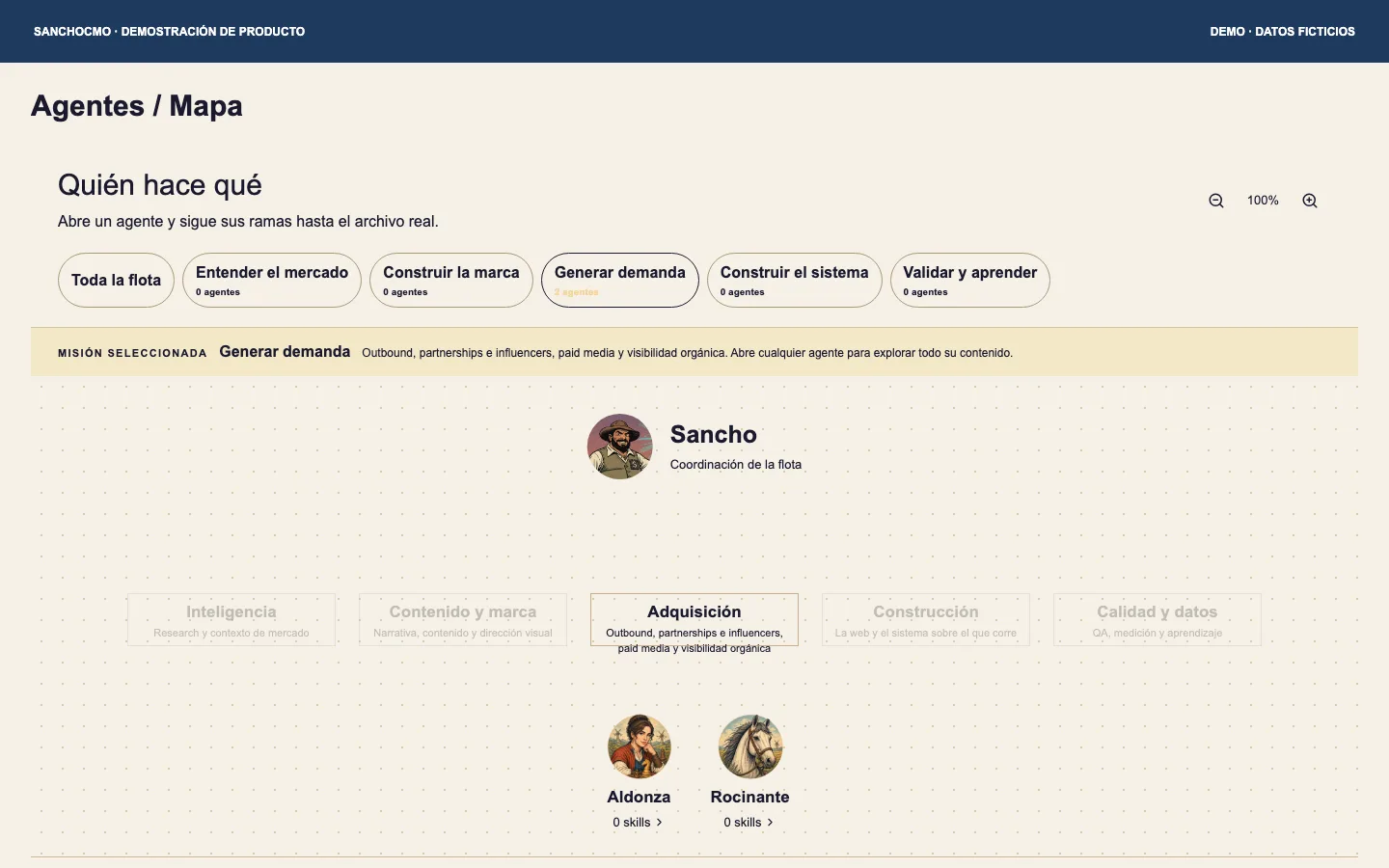
Zoom controls help you navigate the map. If the agent is outside the visible area, scroll the map before concluding it is absent. Choosing a mission helps you find information; it does not start work.
2. Open the agent explorer
Select the agent you want to review: Rocinante in this example. The explorer identifies the agent and organizes the available information into groups.
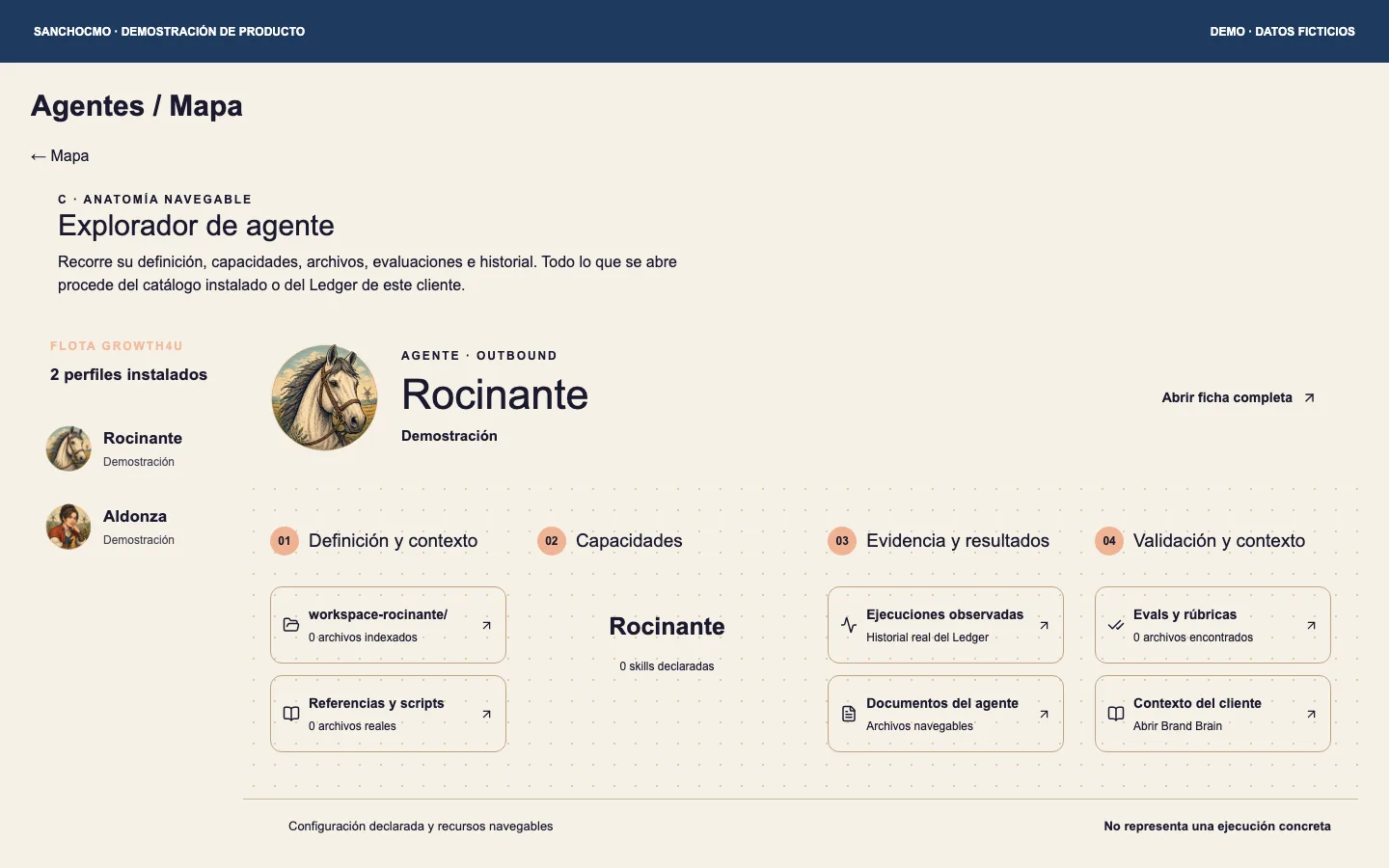
- Definición y contexto (Definition and context): resources describing the agent and its references.
- Capacidades (Capabilities): declared skills shown in the available catalog.
- Evidencia y resultados (Evidence and results): links to observed executions and documents where available.
- Validación y contexto (Validation and context): evaluations, rubrics and associated context available in the interface.
Use the entries available in your workspace. If a category has no files or capabilities, keep that empty state visible. It does not by itself indicate a failed execution.
3. Separate definition, capability and activity
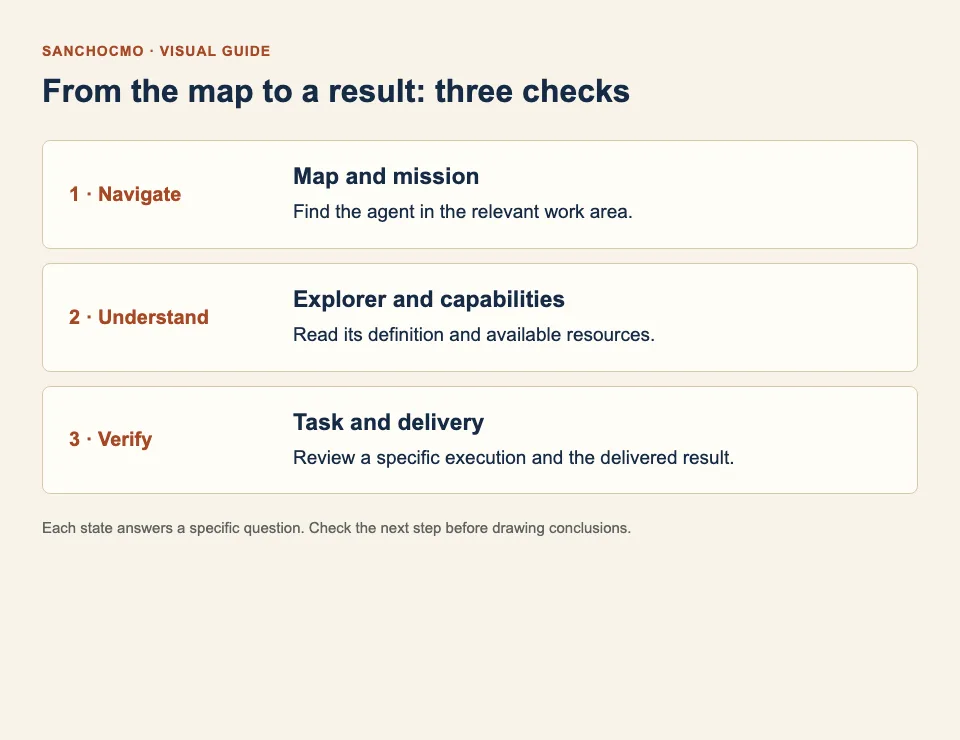
The definition explains who the agent is. A declared capability describes an available resource. An execution or task provides information about specific work. Review these levels separately.
Seeing Rocinante under Generar demanda does not establish that it has run a campaign. Seeing a capability does not show that it was used on a task or that an output was published.
4. Check a specific delivery
To establish what was done, open the relevant task and review its brief, state and delivered result. Check that the result belongs to the version you are reviewing and that you can open it.
- Identify what was requested and which project the task belongs to.
- Read the result and its limitations. If you need changes, ask for specific changes.
- If publication is part of the brief, also check the published destination before accepting delivery.
Continue with How to work with tasks and agents for the complete brief, review and Done workflow.
When you cannot find something
- The agent is missing: return to Toda la flota, check the mission and confirm that you are in the correct workspace.
- Capabilities or files are missing: information may be absent from the available catalog. Identify the agent and the group you need checked. A visible name does not guarantee a complete installation.
- An entry is unavailable: ask the administrator whether it depends on permissions or resources that are not configured yet.
- You want completed work: open the task and its delivery. The map is not a list of completed results.
Check your result
You can find the agent by mission, recognize its available resources and distinguish those resources from a specific execution. To confirm a delivery, you have identified the task and can review its result.