Documentation / Creators
Review Brand fit evidence before deciding
Check what was reviewed, which evidence is missing and the saved decision for a creator assessment.
Before you start
Open the creator profile you want to review and select Brand fit. You need access to the profile. Recording a decision also requires a personal account with the appropriate permissions.
Screenshots use actual components with a fictional profile, assessment and evidence. They teach the reading workflow and do not recommend a real person. This guide covers Brand fit checks rather than the entire audience or performance audit. Controls are shown in Spanish.
1. Separate the decision from the checks
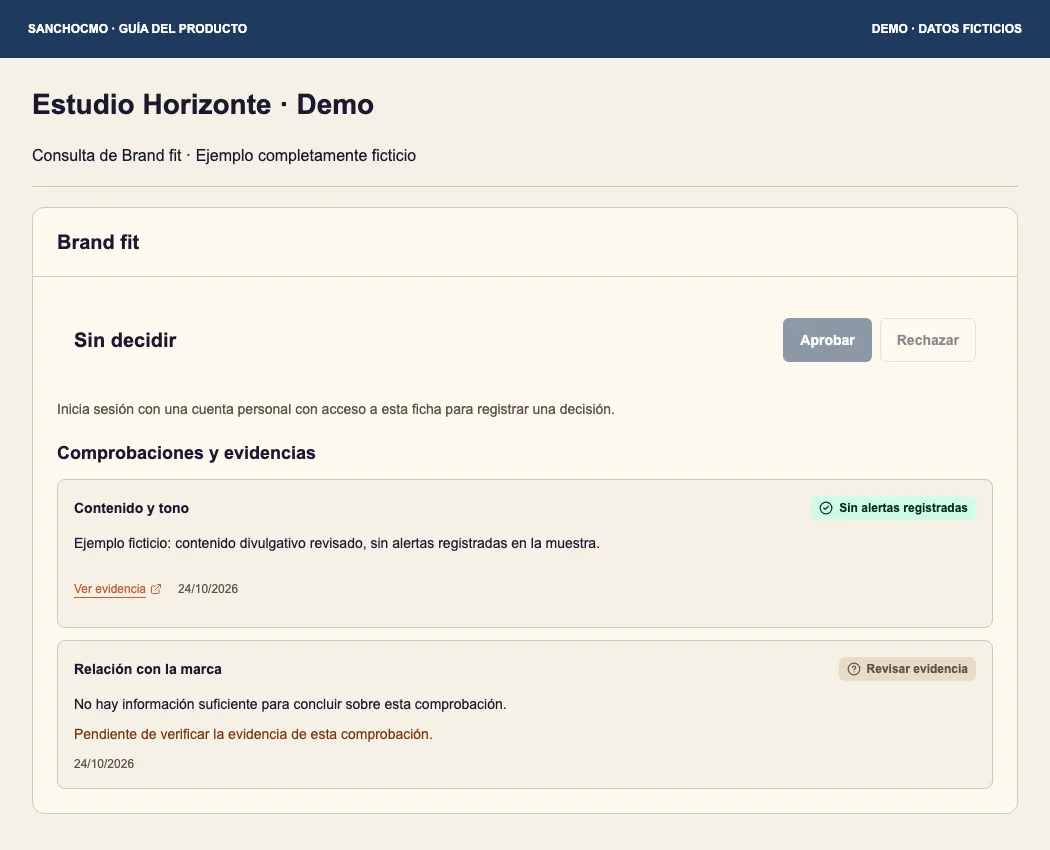
The saved decision appears at the top. Sin decidir (Undecided) means no approval or rejection is recorded in this view. Comprobaciones y evidencias (Checks and evidence) below it contains the items to review.
Do not turn one favorable check into approval of the whole assessment. In this example, the content-and-tone sample has no recorded concerns, while the brand-relationship check has insufficient information.
2. Read each check
- Identify the subject of the check and read its full conclusion.
- Open Ver evidencia (View evidence) where available and check what the source actually supports.
- Review date and scope: a sample or a particular search does not necessarily cover the entire history.
- If you see Revisar evidencia (Review evidence), a missing link or a stated unknown, keep that limitation visible.
Sin alertas registradas describes what is recorded for that check. Revisar alerta (Review concern) and Riesgos materiales (Material concerns) require reading the reason and evidence. A pending check is not a cleared concern.
3. Review missing information before deciding
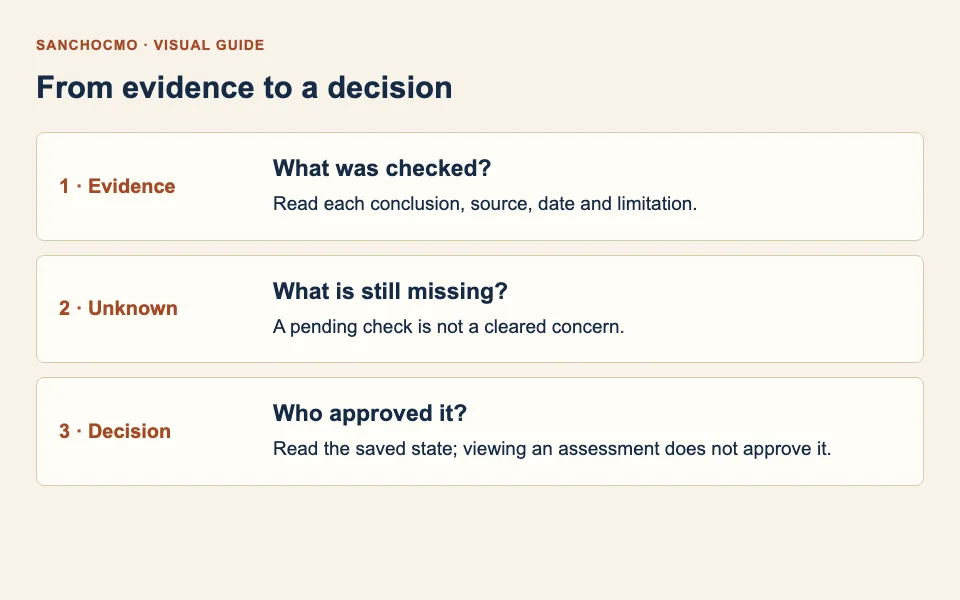
If a check matters to your decision and lacks support, request a specific review. Identify the unanswered question and the evidence you need, such as the source of a claim before treating it as verified.
Do not fill the gap with assumptions or copy a conclusion from another version without checking it. If the assessment changes during your review, read the current version again.
4. Record a decision only when authorized
With the appropriate permissions, Aprobar (Approve) and Rechazar (Reject) record a decision. Attempting approval with missing evidence or concerns may show an additional confirmation.
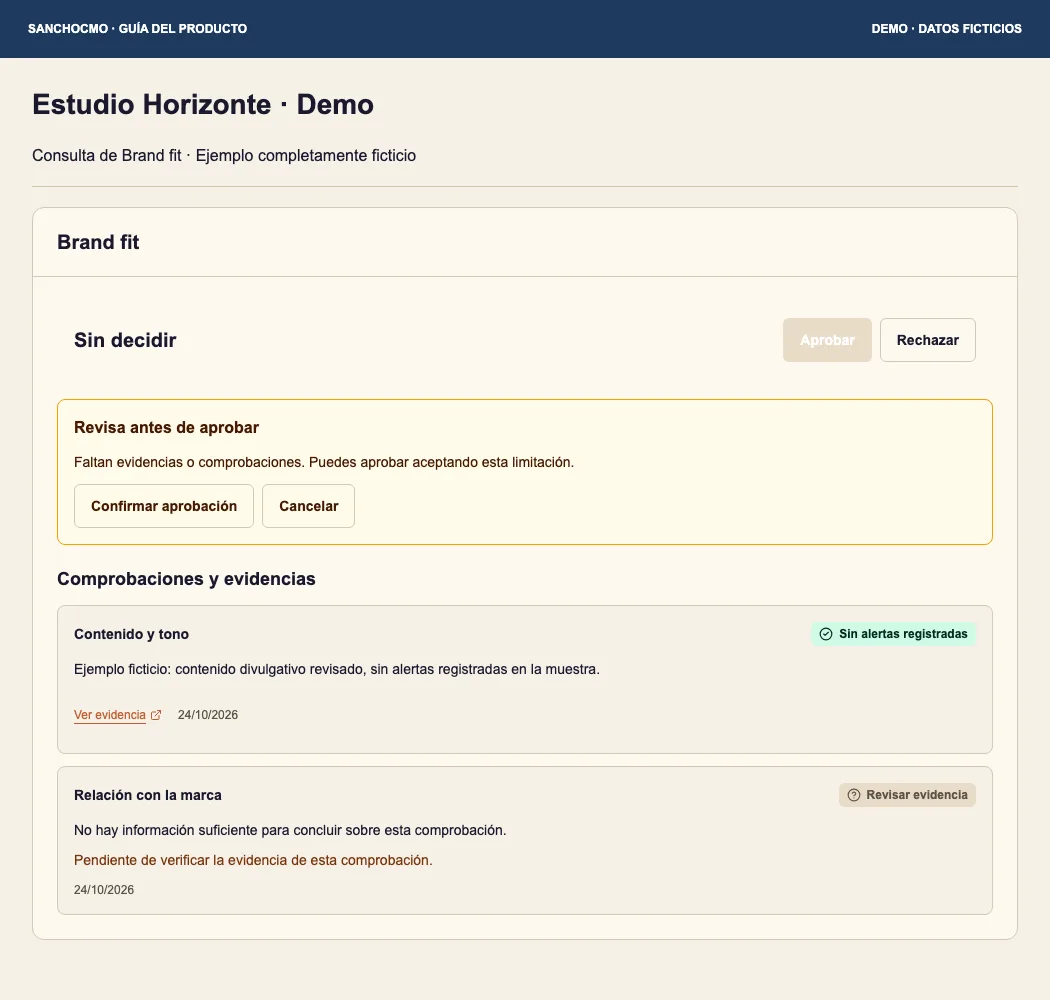
Read the warning. Cancelar (Cancel) returns you to the review. Confirmar aprobación (Confirm approval) indicates that you want to proceed while accepting the stated limitation. Do not proceed merely because a button is available.
After a decision, check the displayed state again. If an error says verification is incomplete, reload the profile and check its state before repeating the action. Recording an assessment decision does not execute a collaboration.
When you cannot decide or open a source
- Disabled buttons: read the profile message. You may need a personal account with access or a saved assessment to decide on.
- Inaccessible evidence: do not treat it as verified. Identify the inaccessible link and request an accessible source.
- Changed assessment: review the current version before approving.
- Unclear identity: confirm the creator and channels in the public profile.
Check your result
You can explain what supports each conclusion, what remains unknown and which decision is actually saved. Reading, recommending and approving remain separate actions.