Documentation / Metrics and results
Delivered work and measured results
Separate work that has been delivered from effects measured afterwards, and read each snapshot with its campaign, period and source.
Separate two questions
“Is the piece ready?” requires reviewing delivery. “What results did it produce?” requires measurement data. A correct delivery can exist before there is enough evidence of its effect.
Screenshots use actual components and a completely fictional campaign. The 2,400 impressions and 48 clicks illustrate the interface rather than results from a real campaign. Controls are shown in Spanish.
1. Check delivery first
Open the task and review its brief, delivered output and state. If publication was part of the brief, check the destination too. Accepting delivery does not automatically turn a reach or conversion figure into measured data.
Use the tasks and agents guide to review work. Then find measurements corresponding to the piece or campaign.
2. Find the available measurements
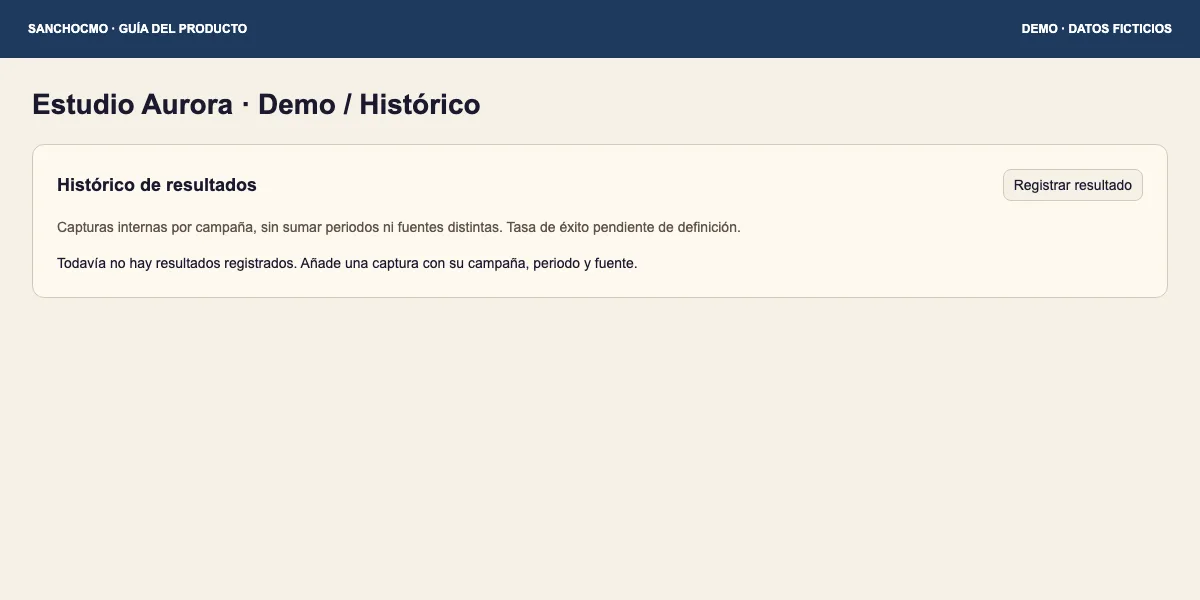
In a creator record, a team member with internal access can read Histórico de resultados (Results history) from Resumen (Summary) or Histórico (History), where available. An empty list does not mean zero performance.
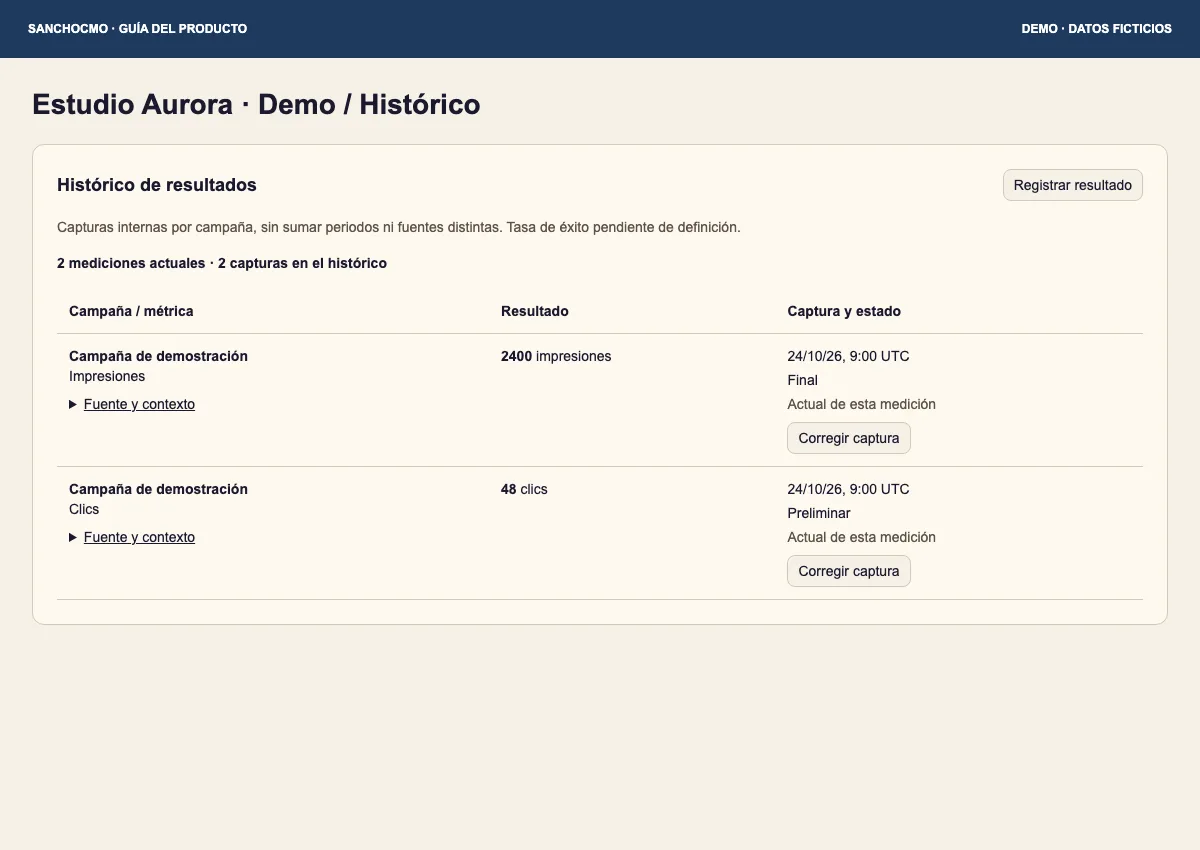
Read the campaign, metric and unit. Impressions and clicks answer different questions. Actual de esta medición (Current for this measurement) identifies the current snapshot of the series, rather than approval of a business objective.
3. Open Fuente y contexto
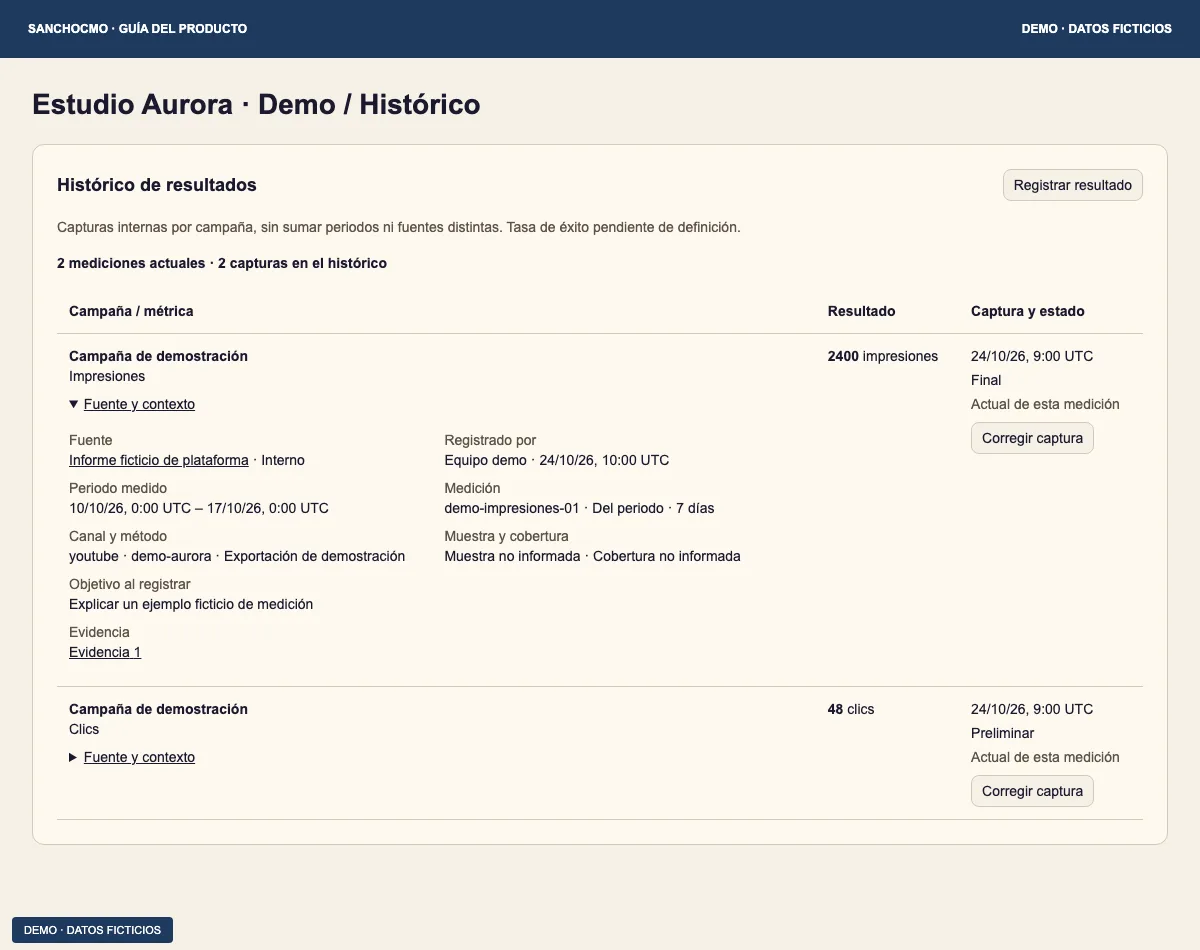
- Expand Fuente y contexto (Source and context) in the relevant row.
- Confirm campaign, measured period, channel and method.
- Check the source and evidence links before attributing a figure to a delivery.
- Check whether it is a period or cumulative value and whether sample or coverage is provided.
The capture date does not replace the measured period. Data retrieved today may describe an earlier week. Keep missing coverage or attribution visible when it limits your conclusion.
4. Separate maturity from current status
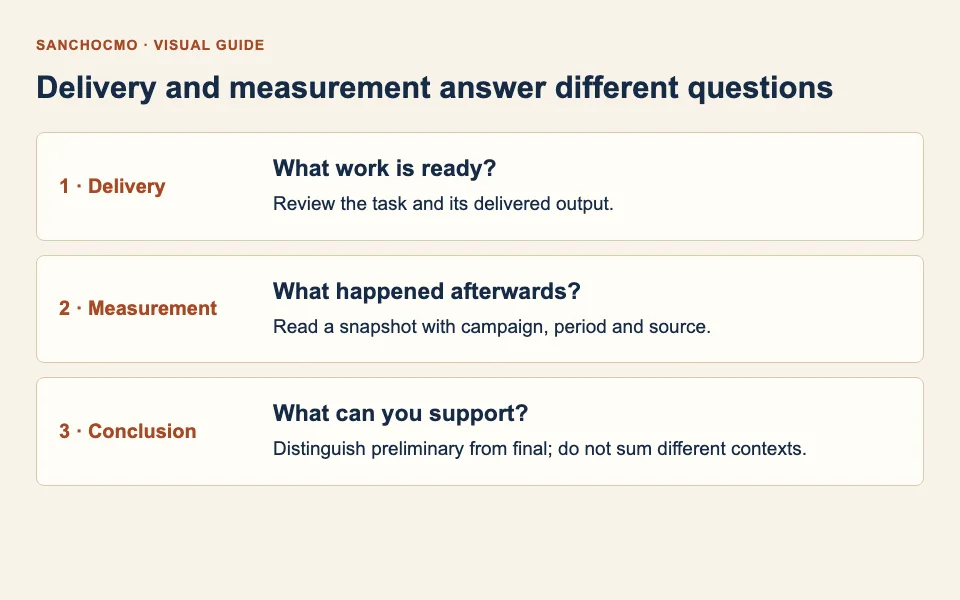
- Preliminar (Preliminary): the record is identified as a preliminary measurement. Do not describe it as definitive.
- Final: the snapshot is recorded with final maturity. It does not by itself establish causality or commercial success.
- Actual de esta medición: identifies the current snapshot within its series and context. It does not mean “best result”.
Do not add together different sources, cumulative periods or distinct measurements as though they were compatible independent records. Read warnings about conflicting snapshots or incomplete context before using them.
What you can conclude
State what was delivered and, separately, what was measured, for which period and with which evidence. When measurement is absent, conclude that evidence is not yet sufficient rather than that the work failed. See also zero versus an unknown value.