Documentation / Connections
When a data capture is late or missing
Find the source, distinguish a collection failure from lost access and check which data remains available before asking for help.
Start with the correct source
If a figure or report is not updating, first identify the tool, source and period you need. A connection can provide several sources; one source’s state does not necessarily describe the others.
Screenshots show actual components with a fictional incident and dates, rather than a real account issue. This guide supports diagnosis and does not change accounts or schedules. The interface is shown in Spanish.
1. Find the warning under Datos
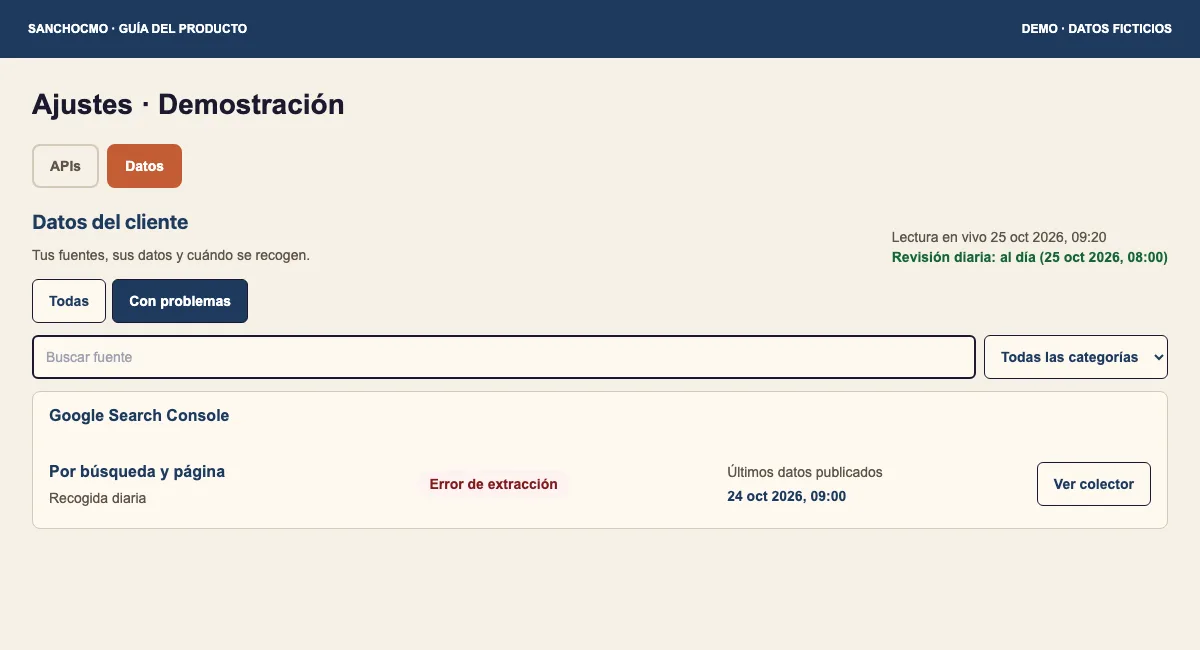
- Open Ajustes → Datos (Settings → Data).
- Search by source name. Select Con problemas (With issues) to find warnings.
- If the source is missing, return to Todas (All) and check filters before adding another connection.
Read the displayed state: Error de extracción (Extraction error), Pausado (Paused), Sin programar (Not scheduled) and Datos vencidos (Stale data) describe different situations. A delayed collection alone is not a reason to change an account.
2. Compare attempt and publication
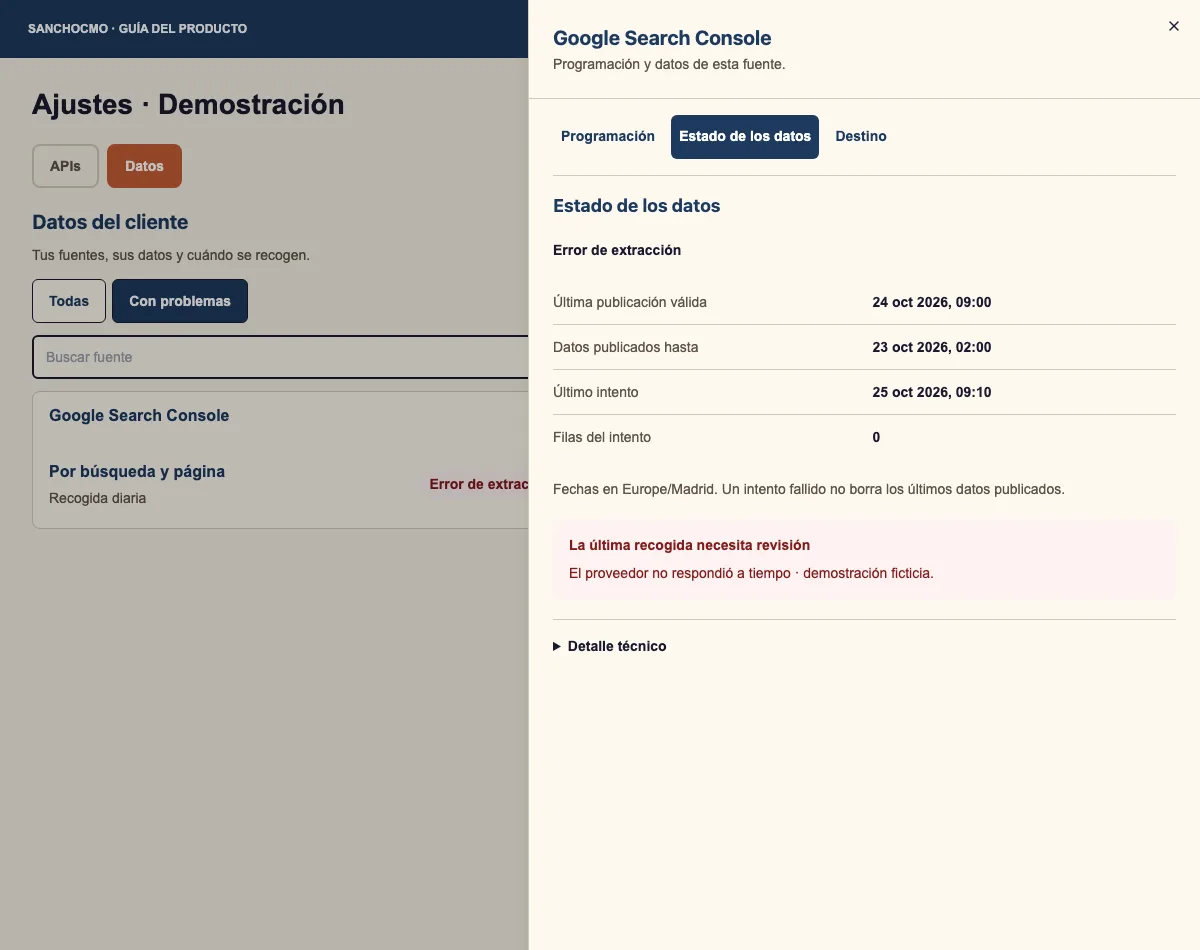
- Select Ver colector (View collector).
- Open Estado de los datos (Data status).
- Read Último intento (Latest attempt) and the collection message.
- Compare them with Última publicación válida (Latest valid publication) and Datos publicados hasta (Data published through).
In this example, the 25 October attempt times out. The24 October publication remains recorded and covers data through the 23rd. Those data may still support that period, but do not establish fresh information for the 25th.
Filas del intento (Rows in the attempt) describes that attempt. Zero there does not turn the entire source history into zero. The screen states the dates’ time zone.
3. Check connection separately
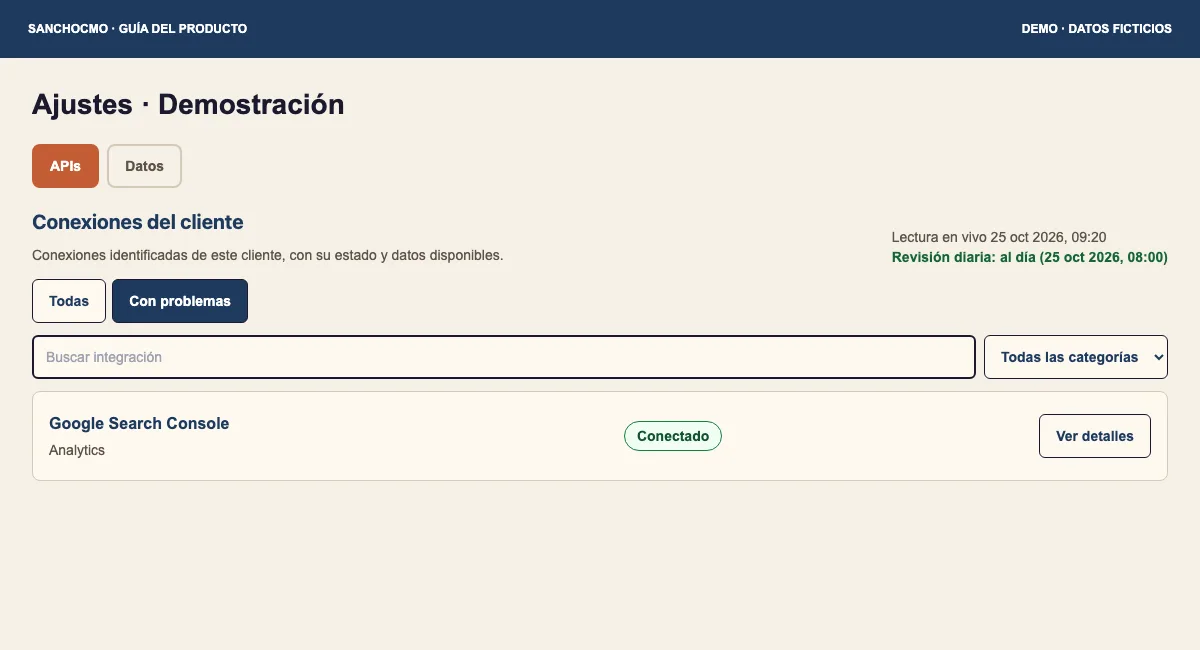
Return to APIs to check access to the tool. If it says Conectado (Connected), review the source message and period before assuming reconnection is needed. If access has a problem, open Ver detalles (View details) and read what is missing.
Do not disconnect an account or enable a schedule simply to experiment without understanding the warning. This guide does not establish a new execution or a provider repair.
4. Decide what you can use and what to request
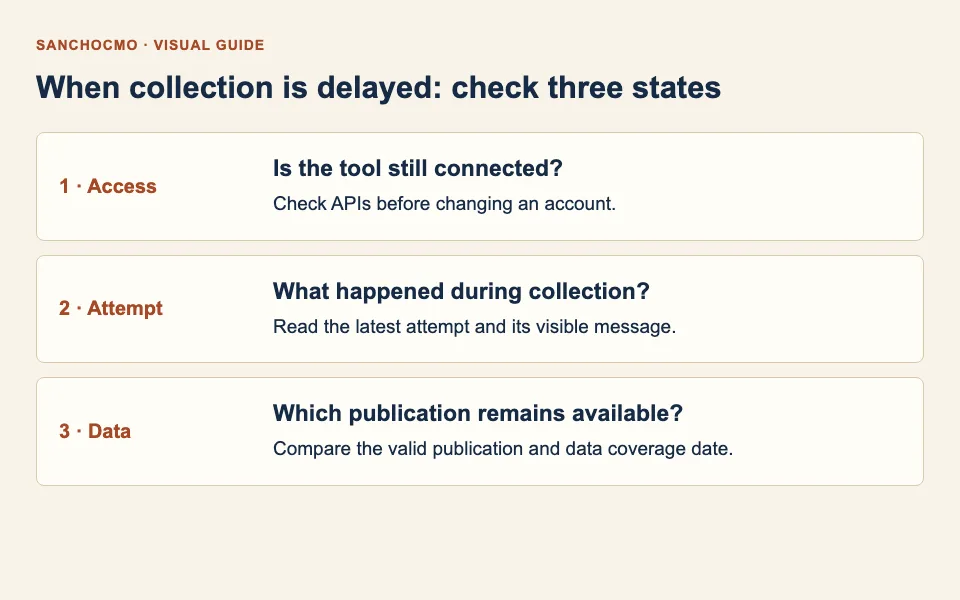
- Earlier valid publication: use it only when its coverage fits your analysis period.
- No publication or date evidence: do not describe the report as current.
- Access issue: report the specific message and confirm who can review the account.
- Working access and failed collection: share the source, attempt date and visible error for that collection to be checked.
When asking for help, include source name, required period and attempt/publication dates. Avoid credentials and screenshots containing information from other accounts.
Check your result
You can explain what failed, which data remains available and which check is still needed. For more detail, read connection, collection and data destination.